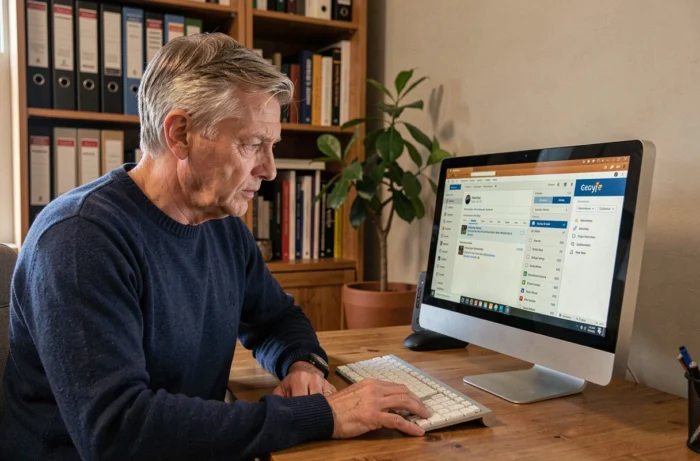
The Numericable email address still works for most former subscribers, but accessing it means understanding what the migration to SFR changed—and, more importantly, what it didn’t. Numericable webmail was absorbed into SFR’s infrastructure in July 2019. Messages, address books, and folders were transferred to SFR’s servers, provided the migration was completed by the operator.
Using a Numericable address as a banking or government account login: the real risk
Before attempting any technical steps, one point deserves special attention. Many former Numericable customers still use their @numericable.fr, @noos.fr, or @modulonet.fr address as a login for third-party services, including online banking, tax services, FranceConnect, health insurance providers, and e-commerce sites.
As long as the mailbox works, the problem remains invisible. But if access is cut off, it becomes impossible to recover passwords for these services. Replacing your Numericable address as the recovery email on every government and banking account is a precaution to take now—not after you lose access.
The steps are the same for each service: sign in, change the contact and recovery email address, then confirm the change using the link sent to the new address. The most critical accounts to update first are:
- FranceConnect and tax services, which block password resets if the email address is no longer accessible
- Online banks and insurance providers, where two-factor authentication often relies on the primary email address
- Healthcare platforms (Ameli, health insurance providers), where changing your address may require a letter by post if the old email no longer works
Those looking to restore Numericable webmail will find the technical steps in the following sections, but securing third-party accounts should come before any attempt to sign in again.

Signing in to SFR webmail with your old Numericable credentials
Since the 2019 migration, webmail.sfr.fr has been the single access point for all former Numericable addresses. The original Numericable webmail no longer exists as a standalone service.
Sign in using your full email address as your username. Enter the entire address (for example, [email protected] or [email protected]), followed by the password you used to access Numericable email.
| Email domain | Sign-in portal | Username to enter |
|---|---|---|
| @numericable.fr | webmail.sfr.fr | Full email address |
| @numericable.com | webmail.sfr.fr | Full email address |
| @noos.fr | webmail.sfr.fr | Full email address |
| @modulonet.fr | webmail.sfr.fr | Full email address |
If you can sign in, your old emails, folders, and address book should appear in the SFR Mail interface. Forwarding and redirect rules created before the migration should also have been retained.
Forgot your password? How to reset it
Forgetting the password is still the most common issue, especially with mailboxes that haven’t been used for several years. You can reset it through the SFR support page. The mobile number linked to the account when it was created is often the only way to receive the verification code.
Without that number, the process becomes more complicated. Contact SFR customer service on 1023 (free from an SFR mobile) and provide identifying details: your old Numericable subscriber number, first and last name, and the postal address on the original contract. The old Numericable helpline closed in November 2017, so all requests are now handled by SFR.
Recovering your Numericable emails: regaining access isn’t the same as backing them up
Regaining access to SFR webmail does not provide a lasting backup. Restoring access and backing up messages are two separate tasks. A change to the operator’s infrastructure, a cancellation, or another migration could cut off access without sufficient notice.
Once you’re signed in again, your priority should be to export your messages to an email account that isn’t tied to an operator (Gmail, Outlook.com, ProtonMail). There are two practical ways to do this.
Set up IMAP to copy your emails
Set up an email client (Thunderbird, Outlook) with SFR’s IMAP settings to sync your entire mailbox, then drag the messages to another account configured in the same client. Use SFR’s incoming mail server settings (imap.sfr.fr, port 993, SSL). The outgoing mail server is smtp.sfr.fr on port 465 with SSL.
Automatically forward emails to a new address
In SFR webmail settings, create an automatic forwarding rule to redirect all incoming emails to an external address. This option won’t copy old messages, but it ensures that all new mail reaches a long-term mailbox. For archived messages, only the IMAP method or a manual export (one message at a time) will work.
Former Numericable customers who switched to another provider: what options remain
Former Numericable subscribers who have since switched to Orange, Free, or Bouygues can generally still access their email address through webmail.sfr.fr. The email address is not tied to an active internet subscription, but to the account originally created with Numericable.
However, this situation could change. SFR has not announced an end date for keeping these mailboxes, but there is no contractual guarantee that they will be maintained long term for customers who have cancelled their subscription. The connexion.numericable.fr portal is still available for viewing old bills, confirming that the legacy infrastructure is still running—but this offers no indication of how long it will remain available.
The only reliable protection is to stop relying on this address for anything critical, including government accounts, professional correspondence, and recovery logins. Copy your archives, switch third-party accounts to a long-term email address, then treat your Numericable address as a temporary bonus. That’s the most realistic approach when no one knows how long the infrastructure will be maintained.